
User flows and prototype
Map sign-up, core actions and account management before development.
Build an iOS or Android app around a job people need to do, from booking an appointment to checking an order.
const booking = await api.book(slotId);if (booking.confirmed) { showConfirmation(booking.reference);}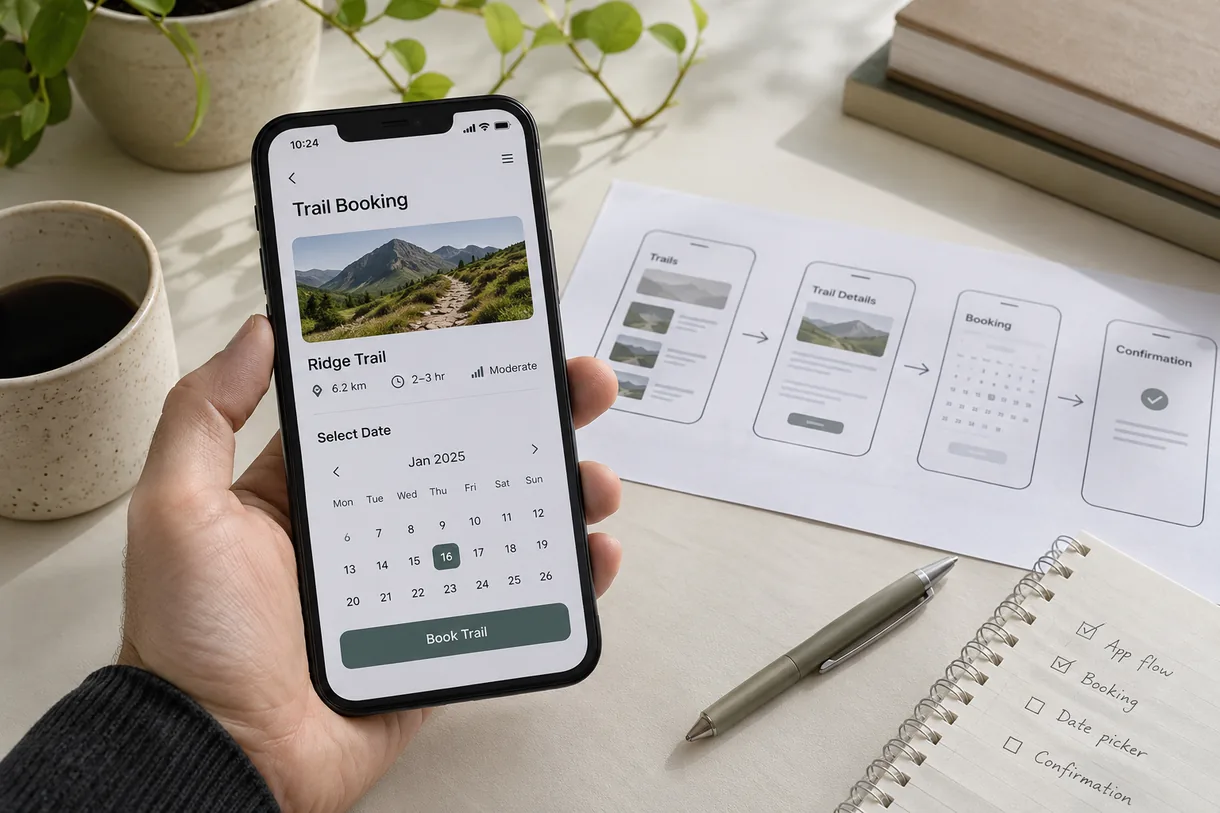
Booking flow

Release checklist
Decide what the first release must do. A simple customer app, a staff tool and a marketplace have different requirements for sign-in, permissions, notifications and backend data.
For a related project, see Custom Software Development.
Map sign-up, core actions and account management before development.
Build the screens and connect them to the data, payments or notifications in your scope.
Test key flows on representative devices and prepare the release with your store accounts.
Choose the first task a user should finish, such as booking, ordering or managing an account.
Review the screen sequence, including sign-in, waiting states and what happens after an error.
Connect the app to the agreed backend, notifications or payments. Use test accounts before release.
Try the main flow on representative iOS and Android devices included in the scope.
Review the store listing, permissions and privacy information with the owner of the developer accounts.
Start with a single journey, such as ordering, booking or recording a job. Write down what a user does first, what confirms success and what they should see if the connection drops. An app for field staff needs different permissions and offline behaviour than an app for shoppers.
List the systems that already hold customer, inventory or booking data. If the app must use one of those systems, we check whether it has suitable access and decide what needs to sync. Platform choice follows those requirements, the devices people use and what your team can maintain.
Create the app store accounts under your business and nominate someone to approve the listing, privacy information and support details. We agree which screens, devices and user flows count as ready for the first release. The store listing and release are separate from building and testing the app.
Before launch, agree who will respond to support requests and how you will collect feedback. This helps prioritise fixes and use actual behaviour to decide what belongs in a later release.
PKR 65,000 / USD 250
Indicative starting rate for a scoped project for clients in Pakistan and internationally. Your quote confirms the deliverables, third-party costs and timing.
Yes. We recommend an approach after reviewing the app’s features, integrations and target devices.
No. You can start with the users, the problem and the main actions the app must support.
We can review the codebase and release process before recommending a repair, extension or rebuild.
We can scope integrations with an existing booking, customer or inventory system if it offers the access and APIs the app needs.
Use accounts owned by your business. We can help prepare the listing and submit through the access you grant. Apple and Google make the final review decisions.
Build software for the work generic tools leave unfinished, such as approvals, customer portals or connections between systems.
Replace paper logs and disconnected spreadsheets with one system that tracks stock, orders, staff access and the reports you use to run the business.
We build and redesign responsive business websites for clients in Pakistan and internationally, with editable pages and a tested path from search to enquiry.