
Theme and storefront
Build or customize a theme with reusable sections for collections, featured products and key pages.
Launch or redesign a Shopify store with clear collections, product pages and a checkout path tested against the way you sell.
sections/featured-collection.liquid
{% for product in collection.products %} <a href="{{ product.url }}"> {{ product.title | escape }} </a>{% endfor %}Liquid theme code

The tableware collection
Collection · Stoneware and linen

Speckled stoneware mug
Product · Oat glaze
Shopify catalog
Speckled stoneware mug
Hand-finished stoneware in oat glaze.
OatAdd to cart
Product page
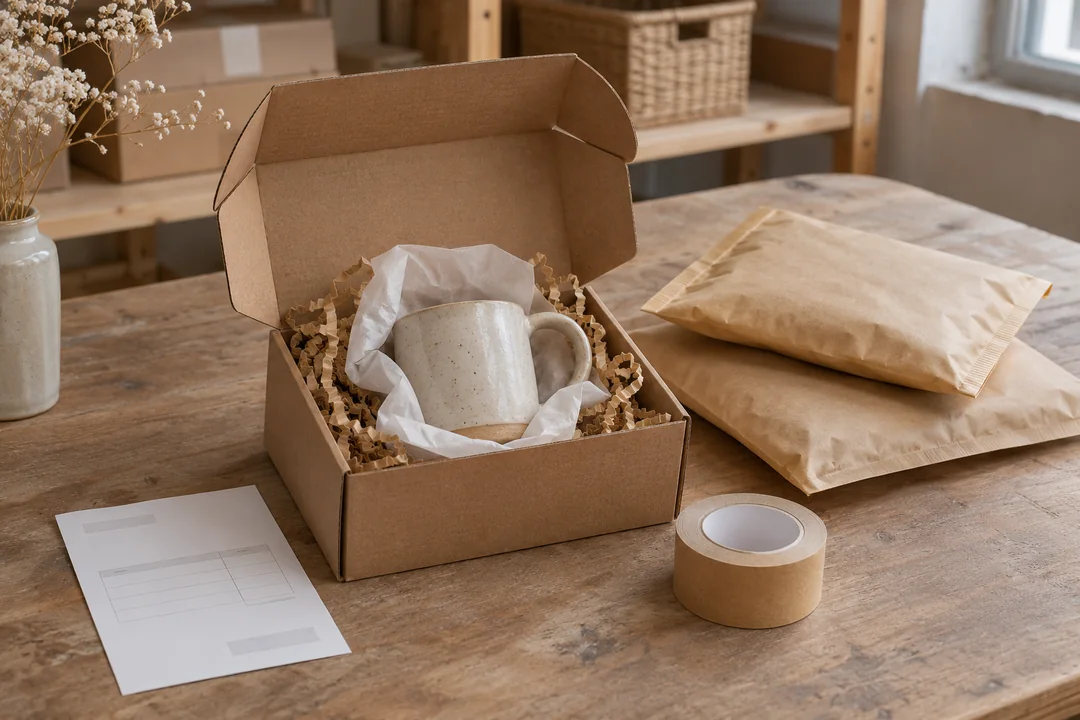
Ready for dispatch
Confirm items, pack securely and share tracking when the parcel ships.
Packing previewOrder fulfilment
Catalog structure comes first. We review product variants, collections, shipping regions, payment availability and what shoppers need to check before ordering.
If your store needs to live inside an existing WordPress website, compare WooCommerce Store Development.
Build or customize a theme with reusable sections for collections, featured products and key pages.
Configure catalog structure, navigation, shipping settings and the app integrations in your scope.
Plan product and content imports, map redirects and walk through checkout before release.
Review product variants, collection logic and the information a shopper needs before checking out.
Agree how collections, product pages and discovery features should work for your catalog.
Build theme sections in a preview and review product imagery, pricing and purchase actions.
Place a test order through the agreed shipping and payment setup and review the resulting emails.
Check the theme switch, store policies and who will manage orders and catalog updates.

Start with the way people shop your catalog. A brand with a handful of products may need seasonal collections and detailed product pages. A store with many sizes, materials or colours usually benefits from consistent filters and variant information. Give us a sample catalog and tell us which products shoppers compare before ordering.
Confirm where you sell, how you fulfil orders and which payment options the business can access. For a redesign, share the current storefront and one buying journey you want to improve. For a migration, agree which products, collections, customer records and URLs are part of the move before setting a launch date.
We separate the agreed build from recurring costs such as the Shopify plan, paid themes and apps. A standard storefront, a catalog import and a redesign with custom theme sections are different scopes. Tell us whether you want your team to handle descriptions, imagery or product entry so we can include the right handover.
Plan a test order with realistic variants, delivery options and notifications. When the store is ready to launch, the person managing orders should know where to change stock, respond to customers and check the information buyers receive.
PKR 50,000 / USD 180
Indicative starting rate for a scoped project for clients in Pakistan and internationally. We confirm deliverables, third-party costs and timing in the quote.
Yes. We can prepare the design in an unpublished theme and review it before switching it live.
We check product data, variants and images before defining the import and redirect work.
We can review free and paid options against your requirements before you decide.
Review the theme with representative products and test an order through the shipping and payment methods in scope. Check the order confirmation email and confirm who will monitor the first live orders.
The build quote covers the agreed work. Shopify plans, themes and paid apps have their own charges, which we flag before you commit.
Compare Shopify with an online store built inside your existing WordPress site.
Get store banners, packaging artwork and campaign graphics ready for launch.